This page will describe the basic process for managing feature inclusion within a release, and the associated versioning strategy.
Features proposed for inclusion in a release may be categorized as follows:
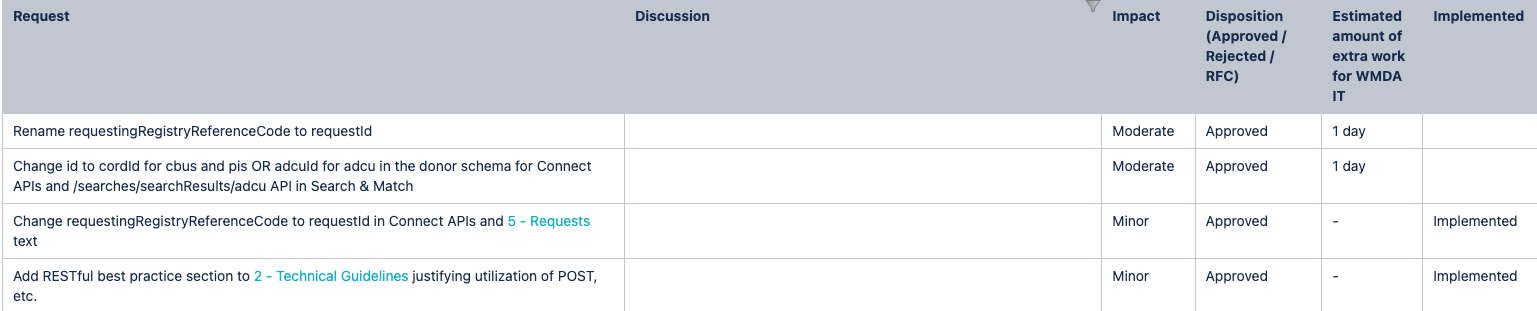
Whether user driven or implementation team driven, any proposed inclusions will be logged / summarized in the WMDA Share under the Match-Connect Release Management page as part of a release candidate package. In the immediate term, the Match-Connect Steering Committee will assist with determination of impact and effort in order to assign features to a given release candidate. Each candidate feature will be given a disposition (Approved, Rejected, moved to RFC). Implementation actions (updating code, updating the semantics, updating swagger, etc) will be recorded on the release candidate page and tracked for completion.
The implementation team will leverage Azure Dev Ops for more detailed tracking of their software development work. The Match-Connect Product Owner will take responsibility for ensuring synchronization of feature inclusion into the detailed work items in Azure Dev Ops.
The following snapshot is pulled from the MC v1.01 Release Candidate.
The semantic versioning scheme will be utilized for Match-Connect releases going forward. It can be summarized as follows:
Given a version number MAJOR.MINOR.PATCH, increment the:
Release candidates will be tagged according to this strategy both in the WMDA Share, Match-Connect Semantics and Azure Dev Ops.
Release notes shall be generated coincident with each release of Match-Connect. Depending upon the audience, these notes may be generated from the release candidate page(s) in WMDA Share OR directly from Azure Dev Ops.