 the page is not not public yet
1. Managing your client secrets
You can manage client secrets using the Manage API Credentials page, where you can view, create, and delete client secrets.
To access the page:
- Visit the Manage API Credentials page https://portal.wmda.info/manage-clients.
- You must login to the portal using MFA (MFA user guide).
- You must have the appropriate user role (
credential manager) assigned by the WMDA team.
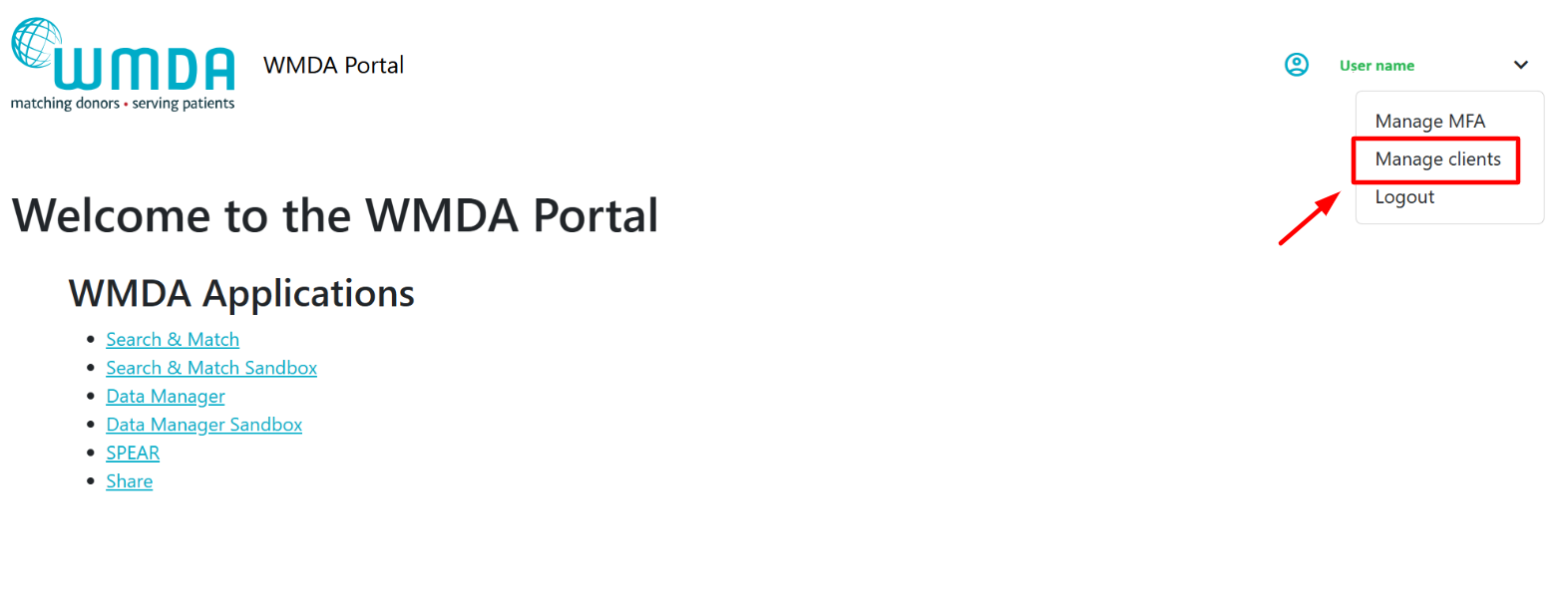
Your organisation should designate one or more technical contacts (credential manager) who are responsible for managing client secrets.
Only users with the credential manager role assigned by the WMDA team can access the Manage API Credentials page.
Before contacting WMDA support, confirm internally who is responsible within your team.
If access is required, contact WMDA: support@wmda.info
As credential manager you can use the Manage API Credentials page to:
- View the applications and their client ID provided by the WMDA.
- Create new client secrets for these applications.
- See expiration date for each client secret.
- Delete client secrets.
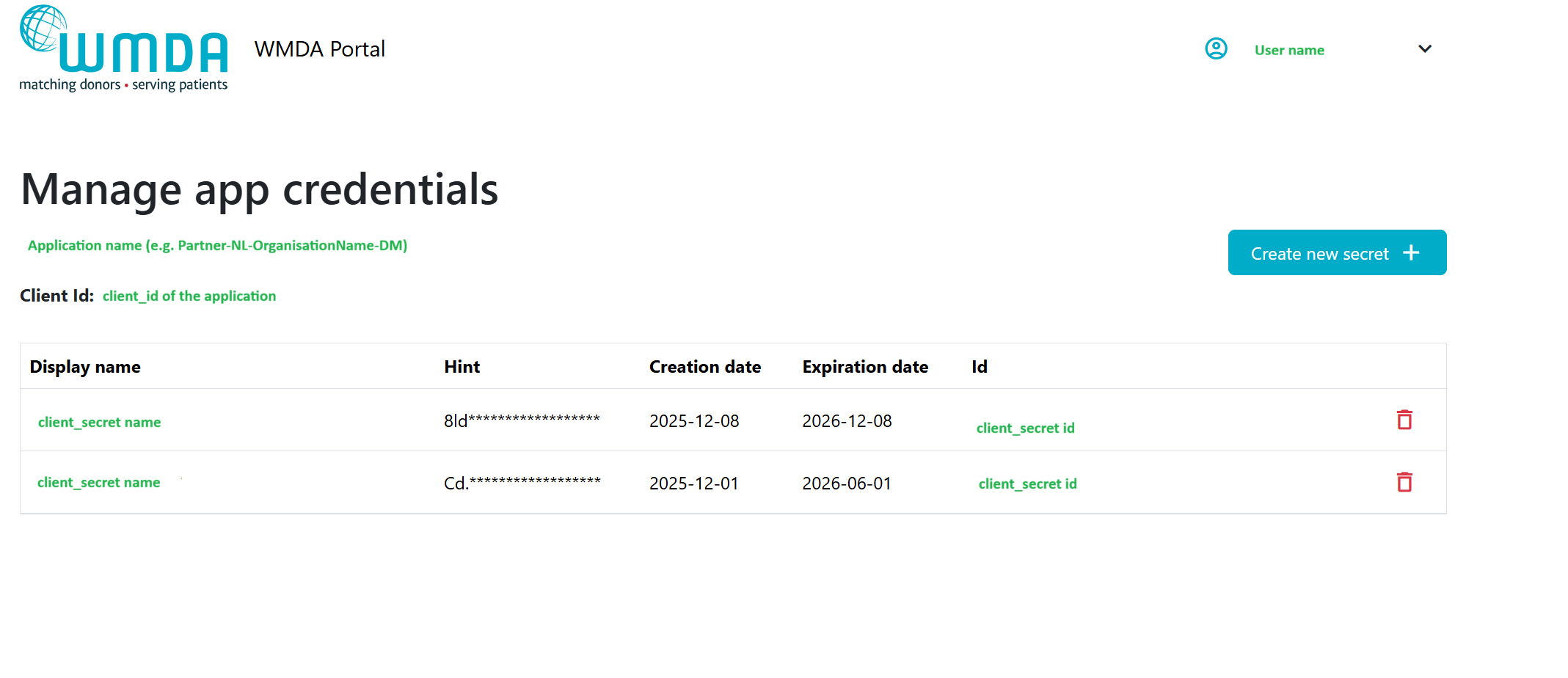
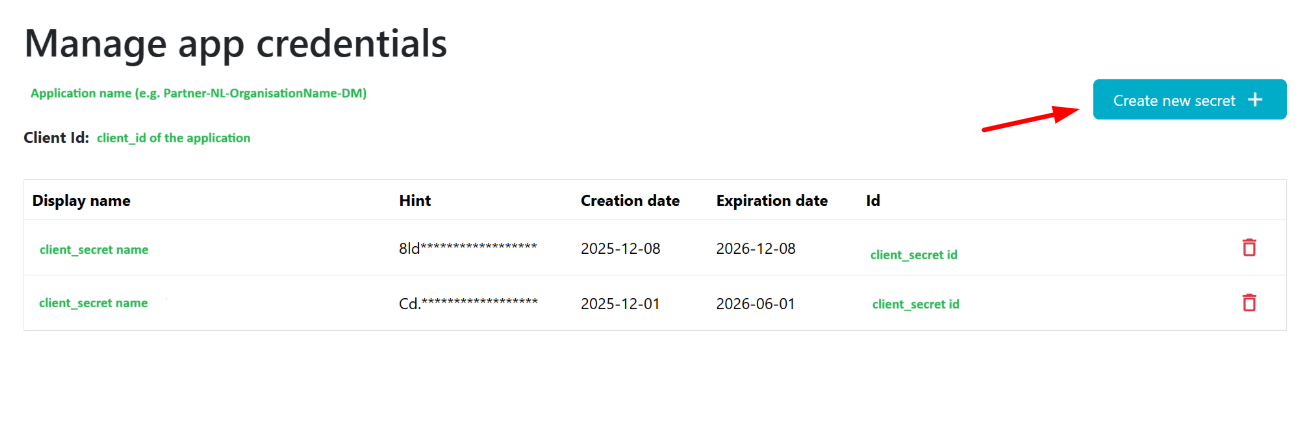
To create a new secret:
- Visit the Manage API Credentials page https://portal.wmda.info/manage-clients and click on the "Create new secret" button and the pop-up will appear:
2. Provide client secret name and expiration date (1 year maximum) for this secret:
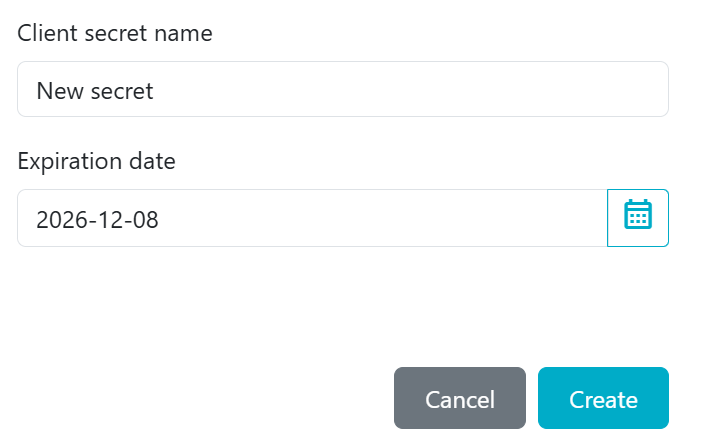
We advise including your name in the "client secret name" field (e.g., "Secret by VM") so the WMDA IT team can contact you if troubleshooting or follow-up is needed.
3. Click on "Create".
4. Copy the client secret that appears:
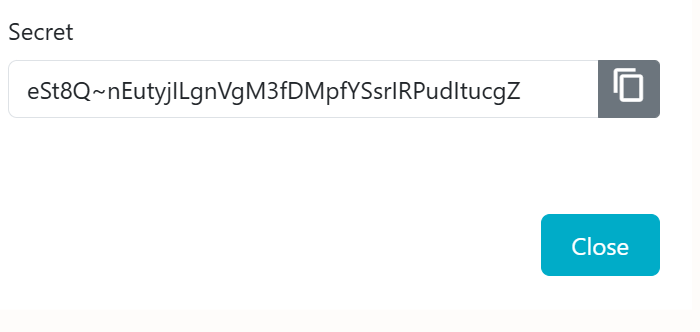
When you create a new secret, copy and store it securely. After you refresh or return to this page, the full secret will no longer be visible - only the first three characters (hint) will remain. If you don't copy the newly created secret, you lose it, and you'll need to generate a new secret.
Once a new client secret is in use, the old one should be removed to prevent unnecessary expiration reminders and confusion.
To delete a secret:
1. Click on the delete icon next to the secret you would like to delete and confirm your action:
2. About API Credentials:
WMDA IT team creates applications for your organisation to facilitate the identification and procurement of stem cell products from around the world. To maintain secure access to these applications the WMDA provides the API Credentials (client ID and client secret) needed to connect to WMDA APIs. Each application has a client ID (which is permanent) and requires a client secret to authenticate.
To authenticate with WMDA APIs, a bearer token must be requested from the WMDA. For details on how client ID and client secret are used to retrieve bearer tokens and authenticate future requests to the WMDA API, see API authentication.
Client ID
- Created by the WMDA and shared with your organisation.
- Identifies your application connection to the WMDA APIs.
- Permanent - it does not expire and cannot be changed.
Client secret
- A confidential credential linked to a specific client ID.
- Acts like a temporary password for machine-to-machine authentication.
- Required when requesting a bearer token to connect to the WMDA APIs.
- Expires after a set period. A replacement must be created and used.
- Can be managed by your organisation on the Manage API Credentials page (see 4. Managing your client secrets below).
Client ID stays the same permanently. It does not expire and does not need to be replaced.
Client secret expires after a set period.
When the client secret expires, API connections will stop working until a new secret is created and updated in your systems.
To avoid interruptions, always rotate the secret before it expires. See 5. Email Notifications About Expiring Client Secrets below
3. Applications on the Manage API Credentials page:
The Manage API Credentials page lists the applications created by the WMDA IT team for your organisation. Each application represents access to one or more APIs.
Examples of applications you may see on the Manage API Credentials page:
- Partner-NL-OrganisationName-DM
Partner-NL-OrganisationName-SMC
PartnerAlternative-NL-OrganisationName-SMC (sandbox only)
Depending on the API permissions assigned to your application, it may have access to the following WMDA resources:
- Search and Match production;
- Search and Match sandbox;
- Match-Connect production;
- Match-Connect sandbox;
- Data Manager production;
- Data Manager sandbox;
PartnerAlternative is a "dummy" organisation for implementers to test their Match-Connect API integration internally. It works only in the Match-Connect sandbox and is provided upon request.
Each application has its own client ID and client secret. Visibility depends on your user role (see 3. Access to the Portal below) and the API permissions assigned to your application.
4. Email Notifications About Expiring Client Secrets
The designated contact(s) (credential manager) for your organisation will automatically receive email notifications from WMDA when a client secret is approaching expiration.
Notifications are sent at the following intervals:
- 6 weeks before client secret expiration.
- 3 weeks before client secret expiration.
- 1 week before client secret expiration - daily reminders until the secret is replaced.
These reminders are sent only to users who have the appropriate user role (credential manager) assigned by the WMDA team